Log in many Telegram accounts by QR code, answer every chat from one shared inbox, auto-reply by keyword, capture leads and schedule posts to your channels and groups.
No mass-adding, scraping or spam tools: ZhiKong focuses on managing accounts and serving customers well.
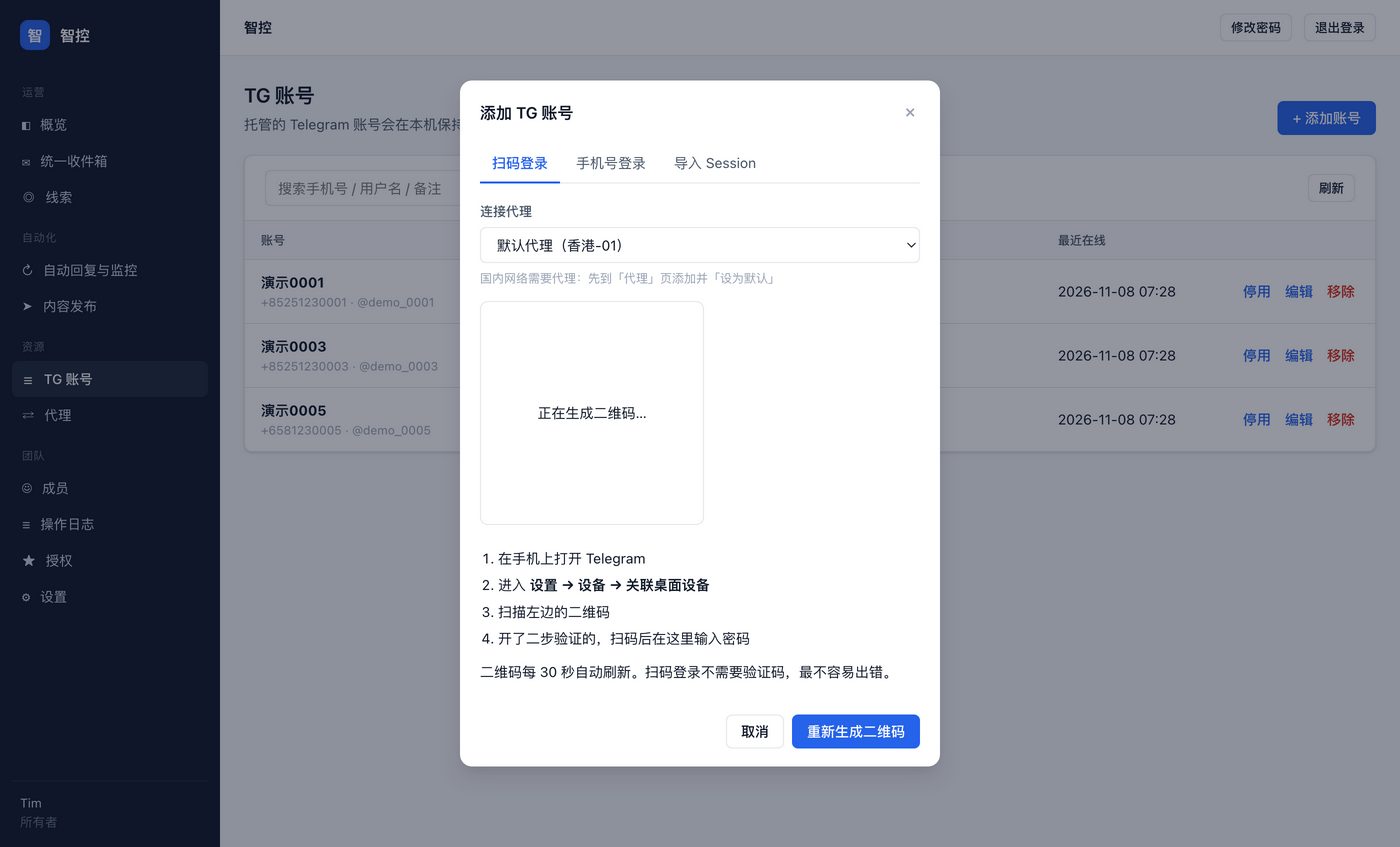
Log in by QR code or phone, or import an existing session. Per-account proxy, groups and notes, with automatic reconnects.
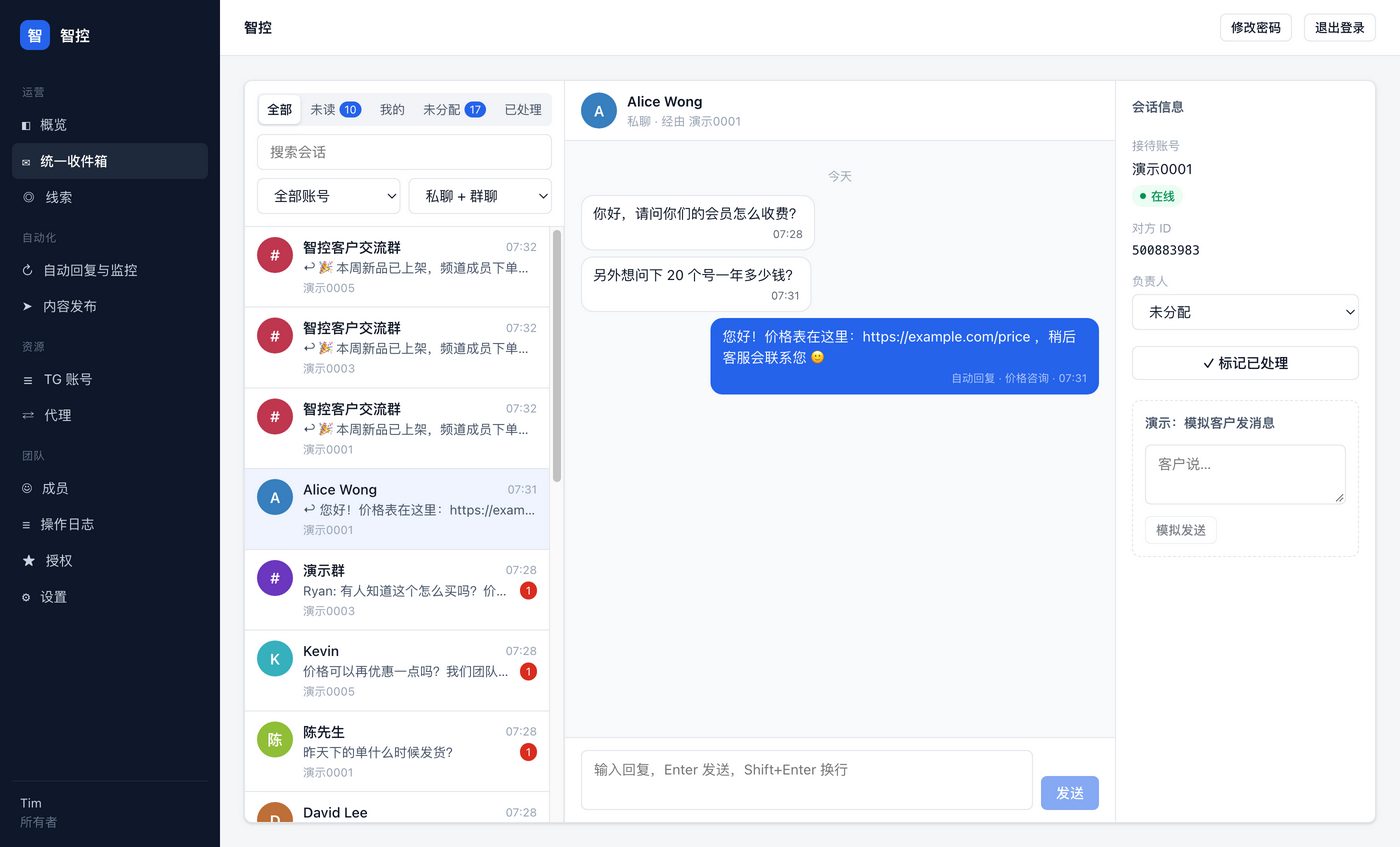
Private and group chats from every account in one view. See what's unread, reply, mark done or hand a chat to a teammate.
Assign chats to teammates; agents only see unassigned chats and their own. Colleagues log in from a browser on your network.
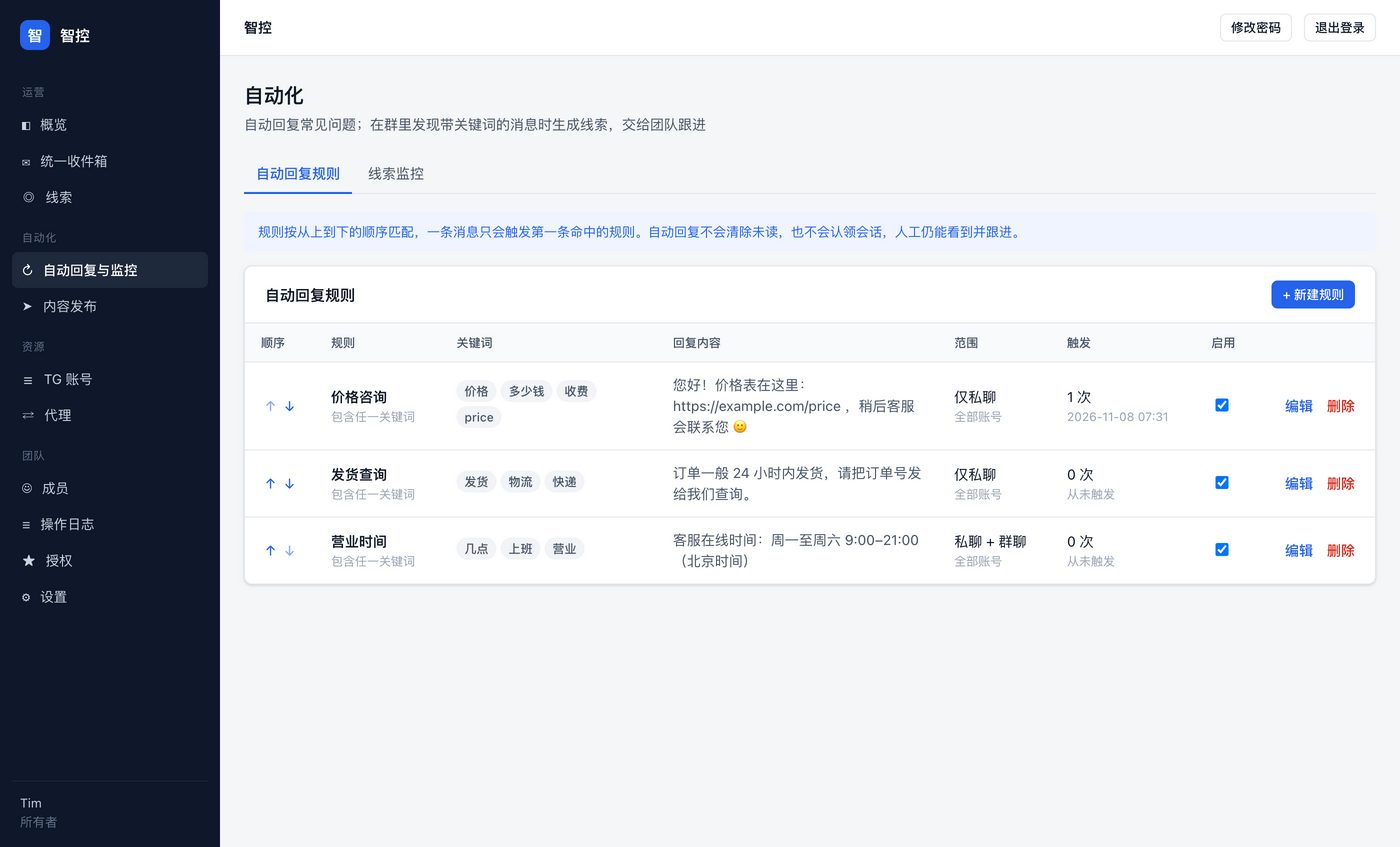
Reply automatically when a message contains, includes all, or exactly matches your keywords. Limit by account, private chats only, with cooldowns.
When someone in a group asks about "price" or "how to buy", it's saved as a lead and pushed to you in real time.
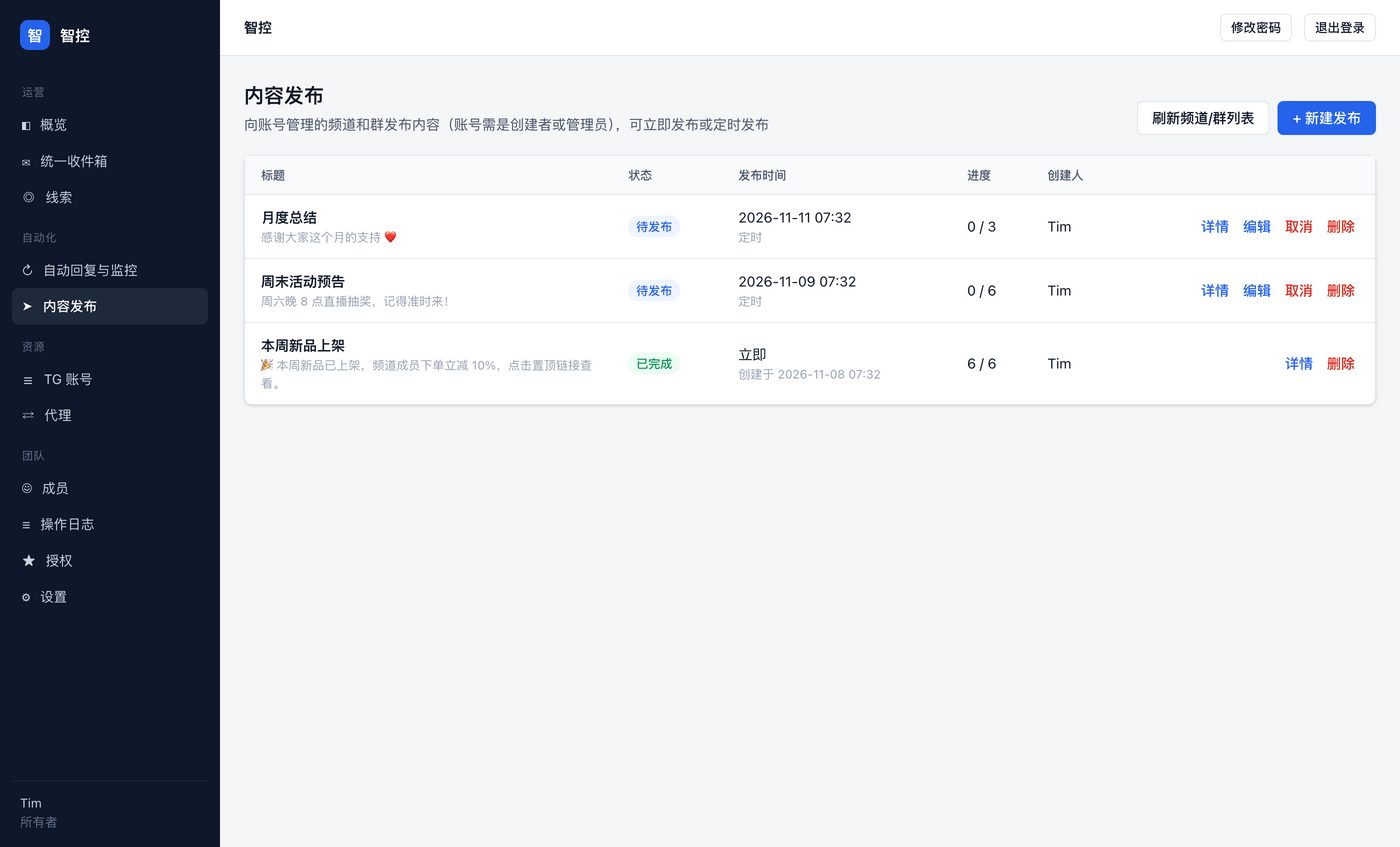
Write once, pick the channels and groups your accounts manage, send now or later. Every delivery is logged and failures can be retried.
On your phone open Telegram → Settings → Devices → Link Desktop Device and scan. If two-step verification is on, type the password once.
Sessions are encrypted on your own PC and never pass through any third-party server.
Let auto-replies handle common questions and collect buying signals as leads, then follow up first thing in the morning.
Queue content in advance and it goes out to many channels and groups on time, with a record of where each post landed.
Runs on Windows 10 / 11. Create your admin password on first launch and your 3-day trial starts automatically.
Add a proxy if your network needs one, then scan to add your Telegram accounts.
Reply from the inbox, set up auto-replies and post schedules, and invite teammates under Members.
Yearly licenses. Every plan has every feature; plans differ only by accounts and seats. Try it free for 3 days first.
Need more? +10 accounts for $99 / year, +1 seat for $45 / year. For larger setups or several PCs, email us for a quote.
How to buy: email tim@ivpn.me with the plan you want. After payment we reply with a license code that you enter on the License page.
Windows 10 / 11 (64-bit). The trial includes every feature with 2 accounts and 2 seats.
No server needed. ZhiKong runs on your own Windows PC; sessions, chats and rules are stored and encrypted locally, and we can't see them. It backs itself up once a day.
No. Auto-replies and scheduled posts need ZhiKong running. Closing the window only minimizes it to the tray, where it keeps working, and it catches up on missed messages when it starts again.
Turn on LAN collaboration in Settings. Teammates on the same network open the address it shows in a browser and log in with the accounts you create under Members.
ZhiKong logs in through Telegram's official protocol, the same way Telegram Desktop does, and has no mass-adding, spamming or scraping features. Bans usually come from new accounts, frequent IP changes and cold-messaging many strangers; keep each account on a stable proxy in one region.
Copy the data folder (its path is on the Settings page) to the new PC, email us to release the old machine, then enter the same license code on the new one.
Accounts pause but all your data stays. After renewing, click "Refresh license" and everything resumes; no new code needed.
Windows only for now. Mac users can run ZhiKong on a Windows PC and use it from a browser over the local network.
Email us, we usually reply the same day
 ZhiKong